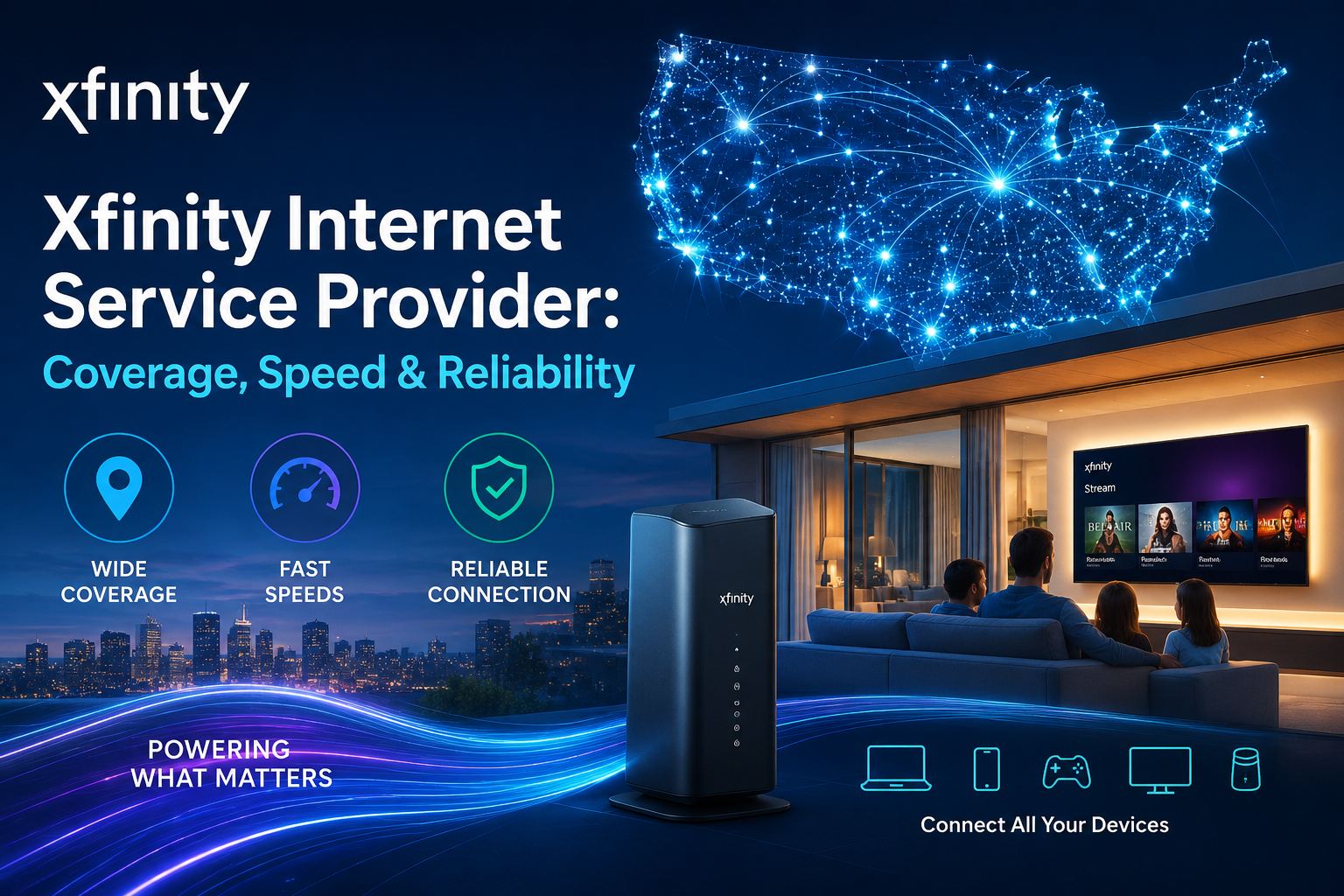
Xfinity Internet Service Provider: Coverage, Speed & Reliability
Xfinity Internet is one of the largest and most trusted Xfinity internet service provider in the United States. Operated by Comcast Corporation, Xfinity delivers high-speed, fiber-powered internet to millions of homes across the country. Whether you are a solo streamer, a remote worker, or a household full of gamers and smart devices, Xfinity has a plan built for your needs. Xfinity Internet Service Provider With reliable coverage, flexible pricing, and no annual contracts, Xfinity continues to be a top choice for home internet in America.
Xfinity Internet Plans: Compare Speeds, Features & Pricing
Xfinity offers a range of internet plans designed to fit every lifestyle and budget. From basic browsing to ultra-fast gigabit speeds, there is a plan for everyone. All plans include unlimited data, WiFi equipment, and no annual contract.
Current Xfinity Internet Plans at a Glance
| Plan | Speed | Starting Price | Contract | Best For |
| NOW Internet | 100 Mbps | $30/mo (prepaid) | No contract | Light users, basic browsing |
| Connect | 300 Mbps | $40/mo for 1 year | No contract | Remote workers, streamers |
| Connect More | 500 Mbps | $55/mo for 1 year | No contract | Medium households |
| Fast | 1 Gig | $60–$70/mo for 1 year | No contract | Gamers, large households |
| Gigabit Extra | 1.2 Gig | $100/mo for 1 year | No contract | Power users |
| Ultimate | 2 Gig | $100/mo for 1 year | No contract | Heavy multi-device homes |
Prices may vary by location. Taxes and fees are extra.
What Is Included in Every Xfinity Internet Plan
Every Xfinity internet plan comes packed with useful features that make your connection smarter and more secure.
- Unlimited data — no data caps or overage charges.
- Xfinity Gateway router — advanced WiFi equipment included at no extra monthly cost.
- Advanced Security — built-in protection against online threats.
- Parental controls — manage what your kids can access online.
- Xfinity app — control and monitor your WiFi from your phone.
- Access to millions of Xfinity WiFi hotspots nationwide.
The 5-Year Price Guarantee
One of Xfinity’s most popular offers is the 5-Year Price Guarantee. This locks in your monthly internet price for five full years with no annual contract required. Your rate stays the same even if you move to a new address. You can also cancel at any time without paying a penalty fee.
Plans eligible for the 5-Year Price Guarantee range from 300 Mbps up to 2 Gig speeds. Here is how the savings compare:
| Speed | 5-Year Price | Everyday Price | Monthly Savings |
| 300 Mbps | $45/mo | $75/mo | $30/mo |
| 500 Mbps | $60/mo | $85/mo | $35/mo |
| 1 Gig | $70/mo | $110/mo | $40/mo |
| 1.2 / 2 Gig | $100/mo | $150/mo | $50/mo |
This means locking in the 300 Mbps plan alone saves you over $1,400 over five years.
Xfinity Low Income Internet: Affordable Plans & Eligibility
Xfinity understands that not every household has the same budget. That is why Comcast created the Internet Essentials program — a low-cost internet solution for qualifying households across the United States.
What Is Internet Essentials
Internet Essentials is Xfinity’s affordable internet program designed for low-income households. It offers high-speed internet at a reduced monthly rate with unlimited data and no annual contract required.
- Price: Under $15 per month.
- Speed: Sufficient for browsing, schoolwork, and video calls.
- Equipment: WiFi equipment included.
- Data: Unlimited data with no overage fees.
Who Qualifies for Internet Essentials
To qualify for the Internet Essentials program, at least one person in the household must participate in one of the following government assistance programs:
- Supplemental Nutrition Assistance Program (SNAP).
- Medicaid.
- National School Lunch Program.
- Housing Assistance programs.
- Supplemental Security Income (SSI).
- Federal Public Housing Assistance.
- Veterans and Survivors Pension Benefit.
How to Apply for Internet Essentials
Applying is simple and straightforward.
- Visit the official Xfinity website and search for the Internet Essentials section.
- Check your eligibility using your address and assistance program details.
- Complete the online application form.
- Wait for approval and schedule your installation or self-install.
New customers may also be eligible for promotional offers when signing up for Internet Essentials for the first time.
Xfinity Internet Prices: Monthly Costs, Deals & Promotions
Xfinity internet prices are designed to be competitive and transparent. There are no hidden fees buried in the fine print, and pricing is straightforward from the start.
Monthly Pricing Overview
| Plan | Promotional Price | After Promo | Connection Type |
| NOW Internet | $30/mo (prepaid) | No change | Cable |
| 300 Mbps | $40/mo (12 months) | $75/mo | Cable |
| 500 Mbps | $55/mo (12 months) | $85/mo | Cable |
| 1 Gig | $60–$70/mo (12 months) | $110/mo | Cable / Fiber-powered |
| 1.2–2 Gig | $100/mo (12 months) | $150/mo | Cable / Fiber-powered |
Current Xfinity Promotions and Deals
Xfinity regularly runs limited-time promotions for new customers. Some of the latest deals include:
- $100 Amazon Gift Card with 300 Mbps plan at $40/mo for 1 year.
- $200 Amazon Gift Card with 1 Gig plan at $60/mo for 1 year.
- Free Disney+, Hulu Bundle, and Peacock Premium included with 1 Gig plan.
- One free line of Xfinity Mobile Select for 1 year with qualifying internet plans.
- StreamSaver bundle starting at $15/mo for Peacock Premium, Netflix, Apple TV, Disney+, and Hulu.
Are There Hidden Fees
Xfinity’s base monthly rate is locked in for the promotional period. However, a few additional charges may apply:
- Installation fee (may be waived for self-install).
- Taxes and government fees.
- Broadcast TV fee (for TV bundles).
There is no early termination fee and no annual contract required on standard internet plans.
Xfinity Outage Map: Track Service Disruptions Near You
When your internet goes down, the first thing you want to know is whether it is a local issue or a larger outage. Xfinity provides an official outage map to help customers track service disruptions in real time.
How the Xfinity Outage Map Works
The Xfinity outage map shows reported service issues across different regions. It is updated regularly as Xfinity technicians respond to and resolve problems.
- The map highlights affected neighborhoods and service areas.
- It shows the estimated number of customers impacted.
- It provides an estimated restoration time when available.
How to Access the Xfinity Outage Map
You can check the Xfinity outage map in a few simple ways:
- Xfinity app — Open the app on your phone and tap the support section to view outage status.
- Xfinity website — Sign in to your account and go to the Support or Service Status page.
- Text alerts — Sign up for Xfinity text notifications to receive outage updates automatically.
What Information the Outage Map Shows
- Active outages in your service area.
- Whether the outage is planned (maintenance) or unplanned.
- Estimated time for service restoration.
- Number of affected customers in a given zone.
Xfinity Down: What to Do & How to Fix It
If your Xfinity internet is down, do not panic. There are several quick steps you can take before contacting customer support.
Step-by-Step Troubleshooting Guide
Step 1 — Check the Xfinity outage map. Before doing anything else, check whether there is a known outage in your area. If there is, the issue is on Xfinity’s end and you simply need to wait.
Step 2 — Restart your modem and router. Unplug your Xfinity Gateway from the power outlet. Wait 60 seconds. Plug it back in and allow 3–5 minutes for the connection to fully restart.
Step 3 — Check your cables. Make sure all coaxial and ethernet cables are firmly connected to your Gateway and wall outlet.
Step 4 — Use the Xfinity app to run a diagnostic. Open the Xfinity app and use the built-in troubleshooting tool. It can automatically detect issues and restart your equipment remotely.
Step 5 — Check if the issue is with one device. If only one device is affected, the issue may be with that device rather than your internet connection.
Step 6 — Contact Xfinity support. If none of the steps above resolve the issue, call Xfinity customer service or start a chat through the app.
Common Reasons Xfinity Internet Goes Down
- Network outages in your local area.
- Damaged or loose cables.
- Overheated modem or router.
- Scheduled maintenance by Xfinity.
- Weather-related infrastructure damage.
- Account billing issues causing service suspension.
Is Xfinity Down: Check Current Status & Updates
If you are wondering “Is Xfinity down right now?” there are quick and reliable ways to find out instantly.
How to Check If Xfinity Is Down Right Now
- Xfinity Status Center — Visit the official Xfinity website and log in to check your service status.
- Xfinity mobile app — The app shows real-time status for your account and local area.
- Text your account number — Xfinity customers can text their account number to the Xfinity support number to get a quick status update.
- Third-party outage trackers — Sites that monitor internet service disruptions can also show user-reported Xfinity outages in real time.
Signs That Xfinity Is Down in Your Area
- Multiple devices in your home lose internet connection at the same time.
- Your Xfinity Gateway lights are solid orange or red instead of white.
- Neighbors report the same issue.
- Your Xfinity app shows a service disruption notice.
Xfinity Internet Outage: Causes, Updates & Solutions
Internet outages can be frustrating, but understanding the cause helps you respond faster and smarter.
Most Common Causes of Xfinity Internet Outages
| Cause | Description |
| Network congestion | Too many users online at peak hours causing slowdowns. |
| Infrastructure damage | Physical damage to cables or equipment from weather or accidents. |
| Planned maintenance | Scheduled upgrades or repairs by Xfinity technicians. |
| Power outages | Local power failures affecting Xfinity network nodes. |
| Equipment failure | Malfunctioning modem, router, or signal equipment. |
What Xfinity Does During an Outage
When a widespread outage occurs, Xfinity’s technical teams work around the clock to restore service. Customers are typically notified through:
- Push notifications via the Xfinity app.
- Text messages to registered mobile numbers.
- Email alerts to the account email address.
- Real-time updates on the Xfinity status page.
How to Protect Yourself During Outages
- Keep mobile data as a backup option.
- Connect to a nearby Xfinity WiFi hotspot using your account credentials.
- Use the Xfinity app to monitor restoration progress.
- Report the outage through the app to help Xfinity identify the affected area faster.
Xfinity Outage: Latest News & Service Alerts
Staying informed about Xfinity service alerts helps you plan ahead and avoid unnecessary frustration.
How to Stay Updated on Xfinity Service Alerts
- Enable push notifications in the Xfinity app for instant outage alerts.
- Sign up for text alerts from Xfinity to receive SMS updates about service disruptions.
- Check the Xfinity Status page regularly if you suspect an ongoing issue.
- Follow Xfinity social media channels for broader service announcements and major outage updates.
Planned vs. Unplanned Outages
| Type | Description | Notice Given |
| Planned Maintenance | Scheduled upgrades or infrastructure work. | Yes — advance notice provided. |
| Unplanned Outage | Unexpected failure due to damage, weather, or equipment. | No — alerts sent after detection. |
Planned maintenance is typically done during off-peak hours such as late nights or early mornings to minimize disruption to customers.
Xfinity Outage Map by Zip Code: Find Local Outages Fast
Finding outage information specific to your location is easier when you search by zip code.
How to Use the Xfinity Outage Map by Zip Code
- Open the Xfinity app or sign in to your account on the Xfinity website.
- Navigate to the Support or Service Status section.
- Enter your zip code to filter results for your specific area.
- View active outages, estimated fix times, and affected streets or neighborhoods.
Benefits of Searching by Zip Code
- You get hyper-local outage information relevant to your address.
- You can see if neighbors in the same zip code are reporting the same issue.
- You can track restoration progress specific to your neighborhood.
- You avoid confusion caused by outages in other parts of the city that do not affect you.
What to Do If Your Zip Code Shows No Outage
If the outage map shows no issues in your zip code but your internet is still down, the problem is likely specific to your home equipment. Follow the troubleshooting steps listed under the “Xfinity Down” section above, or contact Xfinity support directly for a technician visit.
Xfinity Internet Reviews: Pros, Cons & Customer Ratings
Understanding what real customers think about Xfinity helps you make a smarter decision before you sign up.
What Customers Like About Xfinity
- Fast and reliable speeds — most users report consistent performance especially for streaming and working from home.
- Wide coverage area — available in most major cities and suburban areas across 40 states.
- Good bundling options — internet, TV, and mobile can all be combined for savings.
- Access to public WiFi hotspots — millions of hotspots available across the country.
- No annual contract — flexibility to cancel without penalties.
What Customers Do Not Like About Xfinity
- Price increases after the promotional period — many customers are surprised when prices rise after 12 months.
- Customer service experience — some users report difficulty reaching helpful support agents.
- Intermittent outages — occasional service disruptions frustrate long-term customers.
- Speed inconsistencies during peak hours — speeds can slow during high-traffic periods.
Real Customer Feedback
Here is what some customers have shared about their experience with Xfinity:
- “I haven’t been able to get better service in my area.” — Reginald W.
- “Service is reasonably good, but they continuously increase prices month after month.” — Robert B.
- “Internet cuts off intermittently. Speed can be faster, but overall happy.” — Regan H.
- “For the most part it is a good service. I just hate that prices go up every year.” — Jenny R.
Xfinity Customer Service Phone Number Get Human: Fast & Easy
Getting a real human on the line with Xfinity is easier than most people think — you just need to know the right steps.
Xfinity Customer Service Contact Options
| Contact Method | Details |
| Phone (Authorized Dealer) | +1 (855) 297 0039 |
| Xfinity App | Chat and support available 24/7 |
| Online Chat | Available via Xfinity website support page |
| Text Support | Text your issue to Xfinity’s support number |
| In-Store | Visit a local Xfinity store for in-person help |
How to Get a Human on the Phone Fast
Many customers find it difficult to skip automated menus and reach a live agent. Here are some tips:
- Call during off-peak hours — early mornings on weekdays tend to have shorter wait times.
- Say “agent” or “representative” when the automated system answers.
- Press 0 repeatedly — on many phone systems, pressing zero multiple times routes you to a live agent.
- Use the Xfinity app chat — the app often connects you to a live agent faster than calling.
- Visit a store in person — for complex issues, a store visit guarantees face-to-face help.
What Xfinity Customer Service Can Help With
- New service setup and installation scheduling.
- Billing questions and plan changes.
- Technical support and troubleshooting.
- Outage reporting and status updates.
- Equipment replacement requests.
- Cancellation or plan upgrade assistance.
Authorized Dealer Support
If you prefer personalized help from a local expert, Talk Walk Connection is an authorized Xfinity dealer offering support for new sign-ups, plan comparisons, and service questions. You can reach them directly at +1 (855) 297 0039. Their team handles installation, plan setup, and support so that the process is smooth and stress-free from start to finish.
Final Thoughts
Xfinity Internet Service Provider remains one of the strongest choices for home internet in the United States. With speeds starting at 100 Mbps all the way up to 2 Gig, flexible no-contract plans, and coverage that spans coast to coast, Xfinity has something for every type of household and every type of budget. Whether you are looking for an affordable low-income option through Internet Essentials, a locked-in 5-Year Price Guarantee, or fast gigabit speeds for a household full of streamers and gamers, Xfinity delivers on all fronts. For outage tracking, use the Xfinity app or website to stay updated in real time by zip code. And if you ever need help, reaching a live human agent is easier when you know the right steps or call an authorized dealer like Talk Walk Connection directly.
FAQ’s
Q1. What is the cheapest Xfinity internet plan?
The cheapest plan is NOW Internet at $30/mo prepaid, offering 100 Mbps with unlimited data and no annual contract.
Q2. Does Xfinity require a contract?
No. All Xfinity internet plans are contract-free with no early termination fees. You can cancel anytime.
Q3. How do I check if Xfinity is down in my area?
Open the Xfinity app or sign in to your account online, go to Service Status, and enter your zip code to see real-time outage updates.
Q4. Who qualifies for Xfinity Internet Essentials?
Households enrolled in government assistance programs like SNAP, Medicaid, or Federal Housing Assistance qualify for internet under $15/mo.
Q5. How do I reach a live Xfinity customer service agent?
Call and say “agent” or press zero to skip the automated menu. You can also use live chat in the Xfinity app or call Talk Walk Connection at +1 (855) 297 0039 for fast, direct help.